AI Website Builder for Restaurants – Create Your Food Business Website with AI
Showcase your menu, highlight chef specialties, share opening hours and location, and attract more local diners with an AI-generated restaurant website.
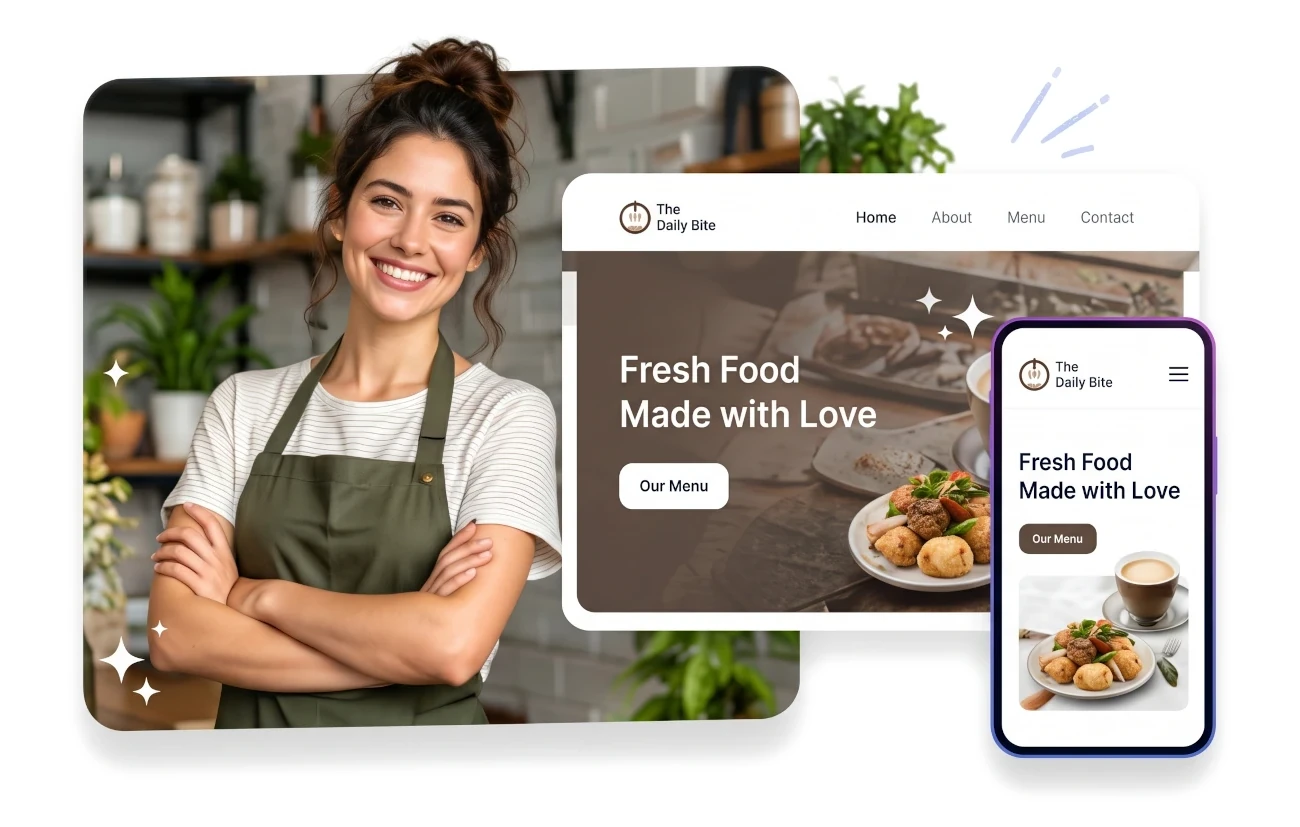
Why Does Your Restaurant Need a Professional Website?
While third-party delivery apps (such as UberEats or DoorDash) and social media accounts (Instagram, TikTok) are helpful for exposure, they charge steep commissions (often 15% to 30%) and keep customer data locked away. A dedicated restaurant website gives you an independent, commission-free platform to build long-term diner loyalty and direct reservations.
Mobile-First Diners
70%+ browse menus on phones before visiting.
0% Commission
Direct orders without 20-30% delivery app fees.
Culinary Story
Showcase chef roots, fresh ingredients & ambiance.
Direct Bookings
Click-to-call, WhatsApp or online reservation links.
Higher Average Check
Vivid dish photos encourage appetizers & desserts.
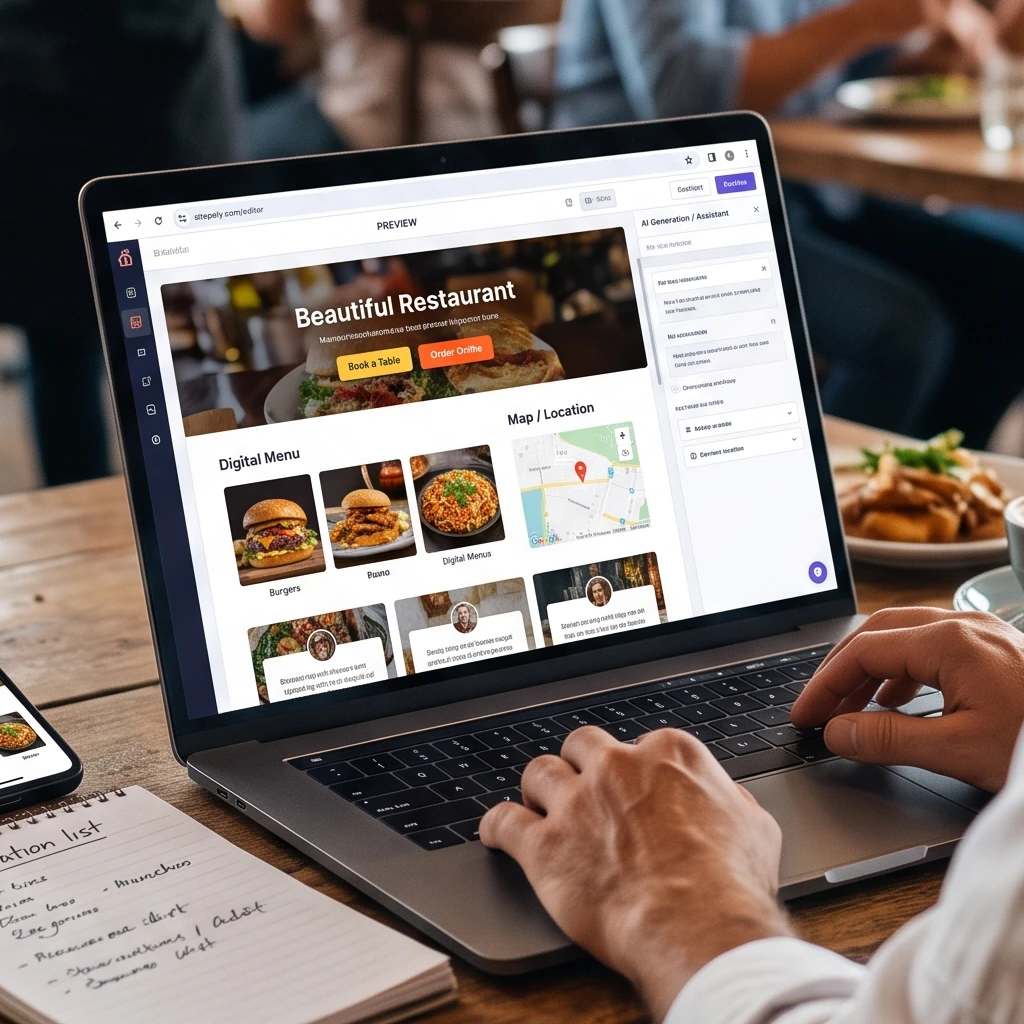
Clear Opening Hours & Hassle-Free Directions
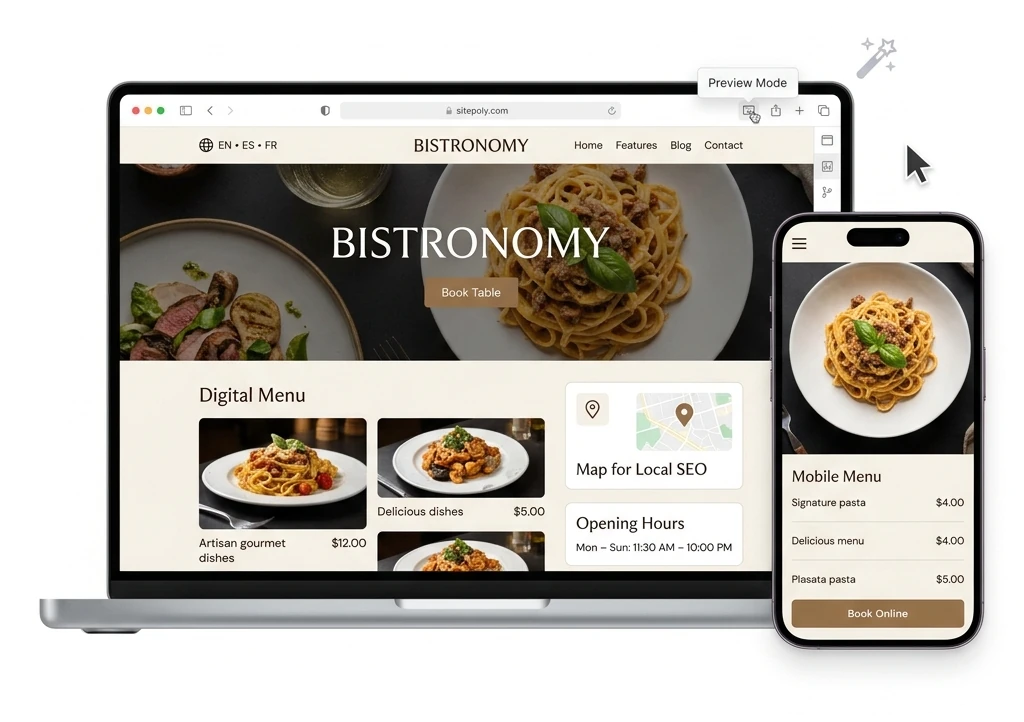
Nothing disappoints a hungry customer more than arriving at a restaurant only to find it closed due to outdated hours listed online. SitePoly makes it simple to display your weekly service schedules, kitchen closing times, holiday hours, parking tips, and interactive Google Maps links.
Create Different Types of Food Business Websites with AI
Every food establishment has its own unique energy and operating model. SitePoly tailors its layout, color palette, and content hierarchy to suit your specific food business:
Fine Dining & Traditional Restaurants
Highlight culinary heritage, multi-course tasting menus, wine lists, sommelier recommendations, and table reservation links through platforms like OpenTable, Resy, or direct telephone booking.
Cafés, Bistros & Specialty Coffee Shops
Focus on specialty bean roasts, breakfast and brunch menus, fresh pastries, cozy interior ambiance, free Wi-Fi policies, and grab-and-go convenience.
Pizzerias, Burger Joints & Takeaway Spots
Feature artisan crust options, customizable toppings, combo deals, opening hours for pickup, and links to direct takeaway ordering.
Artisan Bakeries & Pastry Shops
Showcase daily sourdough bake schedules, viennoiserie, celebration cakes, custom wedding order inquiries, and seasonal holiday treats.
Food Trucks & Pop-Up Kitchens
Provide mobile-friendly schedule updates, weekly location maps, festival appearances, and fast social media links so loyal fans know exactly where to find you.
Catering Services & Private Chefs
Present event packages for weddings, corporate galas, and private dining, complete with sample menus, dietary accommodation options, and quotation request forms.
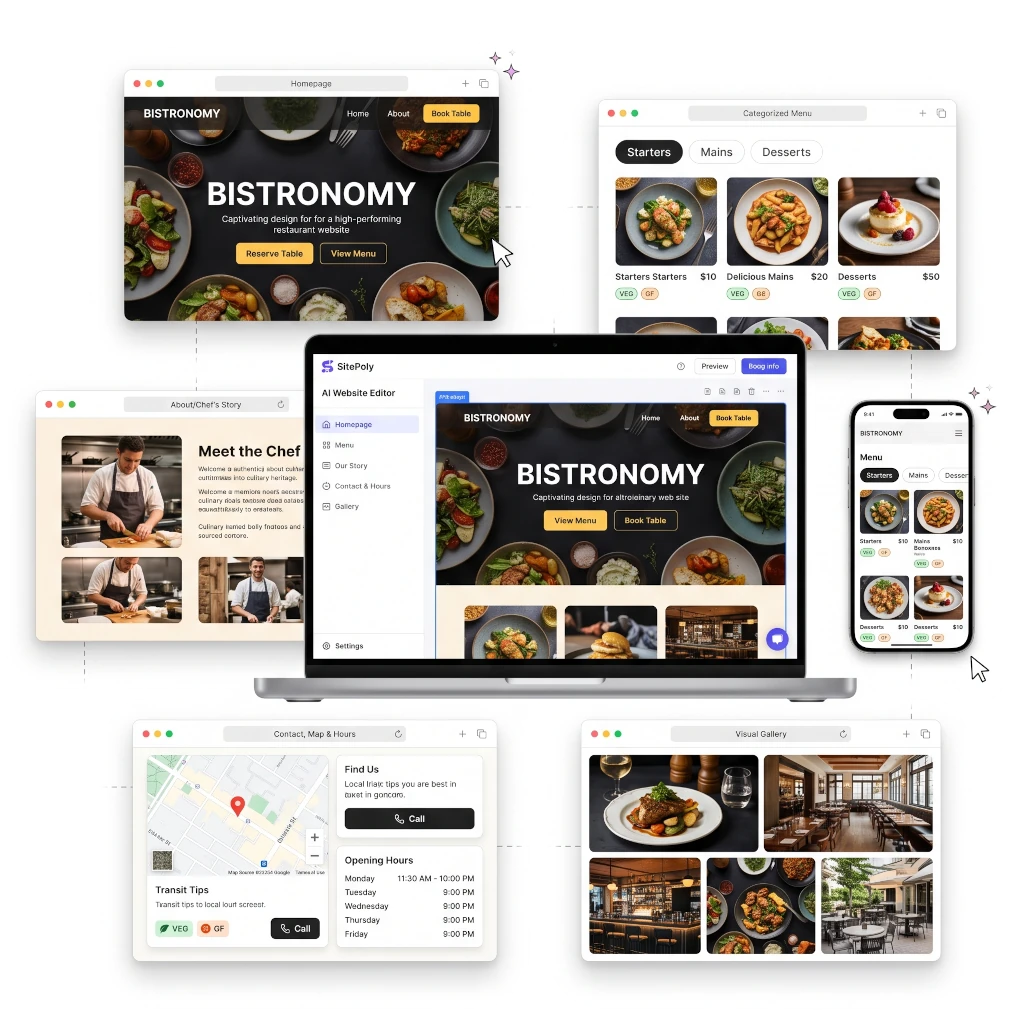
What Should a Great Restaurant Website Include?
A high-performing restaurant website doesn't require dozens of complicated pages. It requires clarity, speed, and compelling visual presentation across the essential touchpoints:
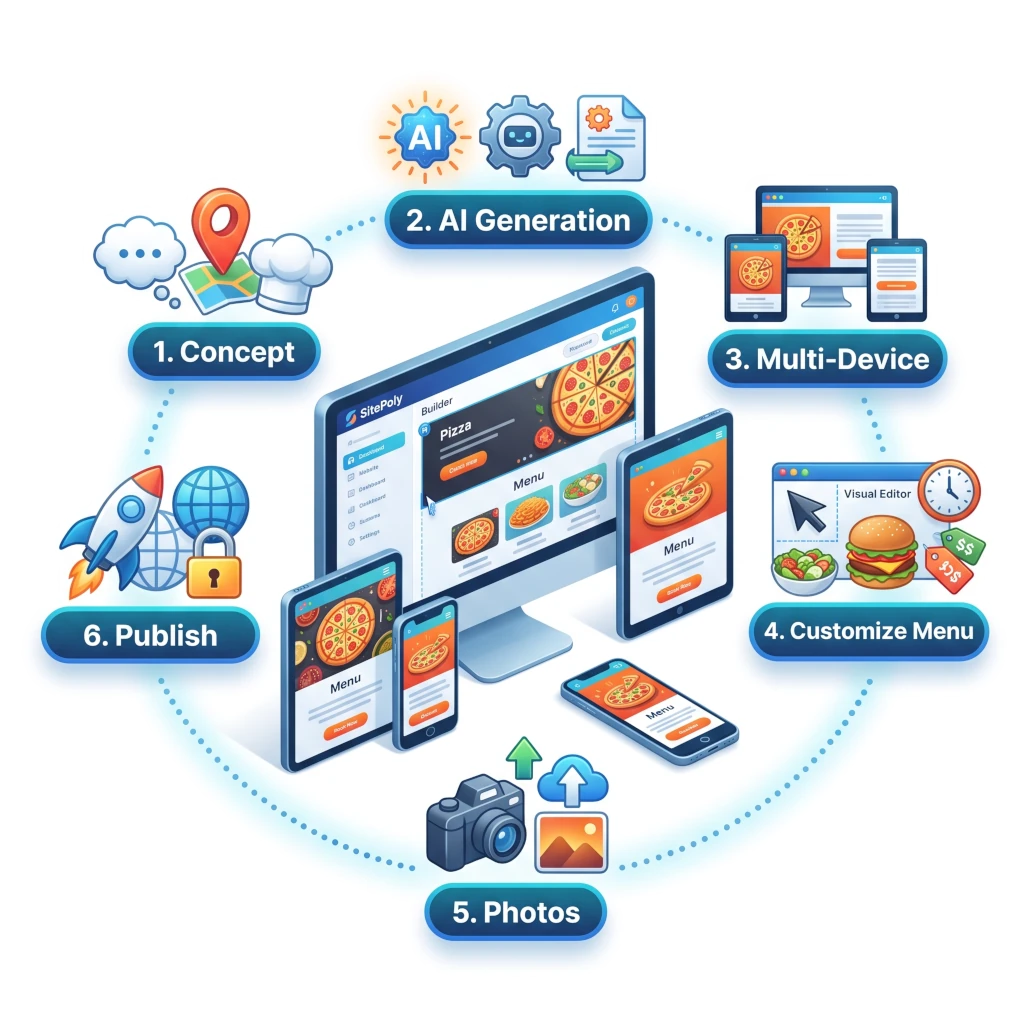
How to Create a Restaurant Website with SitePoly in 6 Steps
You can launch an inviting, professional restaurant website without writing code or hiring a digital agency:
✨ Key Takeaways & Best Practices
- ✓Step 1: Describe Your Concept — Enter your restaurant name, cuisine specialty (e.g., 'Artisan Neapolitan pizzeria in Central Bristol'), and service style (dine-in, takeaway, catering).
- ✓Step 2: Instant AI Generation — SitePoly drafts your restaurant pages, organizes sample menu categories, writes welcoming copy, and pairs appetizing color palettes.
- ✓Step 3: Preview Across All Devices — Review your site on mobile and desktop views to ensure menus and contact actions look flawless.
- ✓Step 4: Customize Your Menu & Details — Use the visual editor to paste your actual dish descriptions, update prices, add allergen badges, and input your exact operating hours.
- ✓Step 5: Upload Authentic Photography — Swap generic placeholders with high-resolution photos of your signature dishes and cozy dining space.
- ✓Step 6: Publish Online — Connect your custom domain with automated SSL on SitePoly's edge hosting (1 year free domain on annual Starter), or export your clean static code.
5 Proven Restaurant Website Design Principles
An effective restaurant website balances enticing aesthetics with effortless utility. Follow these core design principles:
✨ Key Takeaways & Best Practices
- ✓1. Match Visual Styling to Cuisine: An upscale steakhouse benefits from elegant dark tones, serif typography, and rich imagery. A vibrant brunch café shines with warm neutrals, lively pastel accents, and bright daylight photography.
- ✓2. Prioritize Mobile Speed: Diners frequently check websites while walking or driving nearby. Keep page weight light so menus load in under 2 seconds on mobile data.
- ✓3. Keep Primary Actions Visible: Make your phone number and reservation link accessible via a sticky header or floating bottom bar on mobile screens.
- ✓4. Use Authentic Dish Photography: Diners can spot artificial food stock photos immediately. Use authentic pictures of your real plates prepared by your kitchen team.
- ✓5. Keep Menu Information Fresh: Update seasonal ingredients, prices, and special holiday menus promptly to avoid customer disappointment at the table.
Restaurant SEO: How to Rank on Google Maps and Local Search
When potential diners search for 'best Italian restaurant near me' or 'brunch places in downtown Austin,' search engines rely on local signals to rank establishments. A properly optimized SitePoly website gives your restaurant an unbeatable technical edge.
✨ Key Takeaways & Best Practices
- ✓Target Local Cuisine Keywords: Incorporate phrases like 'handmade pasta in Birmingham' or 'vegan bakery in East Austin' into your H1 headings, page titles, and body text naturally.
- ✓Maintain Strict NAP Consistency: Your Name, Address, and Phone number must be identical on your website, Google Business Profile, Apple Maps, Yelp, and TripAdvisor.
- ✓Structured Data / Schema.org: SitePoly supports Restaurant and FoodEstablishment JSON-LD markup that communicates your cuisine, price range ($), hours, and menu URLs directly to search crawlers.
- ✓Optimize Image Metadata: Give food images descriptive filenames (e.g., wood-fired-margherita-pizza.webp) and meaningful alt text for image search indexing.
- ✓Encourage & Showcase Reviews: Feature quotes from happy guests and link directly to your Google review page to boost local ranking signals.
How Much Does a Restaurant Website Cost?
Traditional restaurant web design agencies often quote $2,500 to $6,000 for a multi-page site, plus ongoing monthly maintenance retainers of $100 to $200. Conversely, SitePoly provides enterprise-grade quality at a fraction of the cost:
✨ Key Takeaways & Best Practices
- ✓Free Plan ($0): Generate your restaurant concept, build your menu categories, and explore the visual editor with zero financial commitment.
- ✓Starter Plan ($17/month or $136/year): Publish your live restaurant website with custom domain connection (1 year free domain included on annual), automatic SSL, high-speed edge hosting, and monthly AI updates.
- ✓Business Plan ($29/month or $240/year): Ideal for restaurant groups or catering businesses managing up to 5 distinct restaurant locations or culinary brands.
- ✓Own Your Website ($49 one-time): Export clean, static HTML/CSS/JS source code to host on any server or static provider with a lifetime commercial license.
Why Choose SitePoly for Your Food Business?
SitePoly was built specifically to solve the frustrations food business owners face with bloated legacy builders. We deliver fast, beautiful, and mobile-friendly websites that put food and hospitality front and center.
✨ Key Takeaways & Best Practices
- ✓Zero Technical Hurdles: No code, no server configuration, no plugin nightmares.
- ✓Instant Digital Menus: Replace frustrating PDF downloads with lightning-fast responsive web menus.
- ✓Freedom & Independence: Choose managed hosting or export your code anytime with our $49 ownership license.
- ✓Multilingual Hospitality: Welcome international travelers and bilingual locals in 22+ languages seamlessly.
Frequently Asked Questions About Restaurant Websites
Everything you need to know about creating, hosting, and optimizing a restaurant website with SitePoly.
Can I build a restaurant website with AI? ▼
Can I display an interactive food and drink menu? ▼
Can I connect table reservation systems like OpenTable or Resy? ▼
Can I connect online ordering and delivery links? ▼
Will my restaurant website look good on smartphones? ▼
Can I use my own custom domain name (e.g., myrestaurant.com)? ▼
How does SitePoly help my restaurant rank on Google? ▼
Can I create a restaurant website in multiple languages? ▼
Can I update my menu and prices when seasonal ingredients change? ▼
Do I have to pay ongoing monthly fees if I own the code? ▼
How long does it take to create a restaurant website? ▼
Can I try SitePoly for free before paying? ▼
Your Small Business. A Bigger Online Presence.
Start with a free preview, customize your website, and choose the plan that fits your goals.
AI Website Builder: Complete Platform Guide
Learn how SitePoly builds high-converting business websites in minutes with AI, instant preview, and clean code export.
Website Builder for Small Business
How independent local businesses can build authority, rank in local search, and drive customer inquiries with AI.